
Keep your process
Your team keeps working the way it does today. Mola reads what you already do and shows you the numbers.
Product
Commissions, leads, expenses, goals, and reports in one place.
ReportsAI ConnectorWhat's InsideIntegrations
What Goes In
Read-only: Mola never writes back to your systems.
Mola
No re-keying, no month-end catch-up.
What Comes Back
ModuleIncluded in Mola Complete, or add it to Mola Core.
Everything in one place
Mola pulls it all in for you, automatically. No exports, no copy and paste, no month-end catch-up.

Every deal from your transaction management system, a spreadsheet, or entered directly in Mola: volume, GCI, splits, caps, and payouts, to the cent.
See How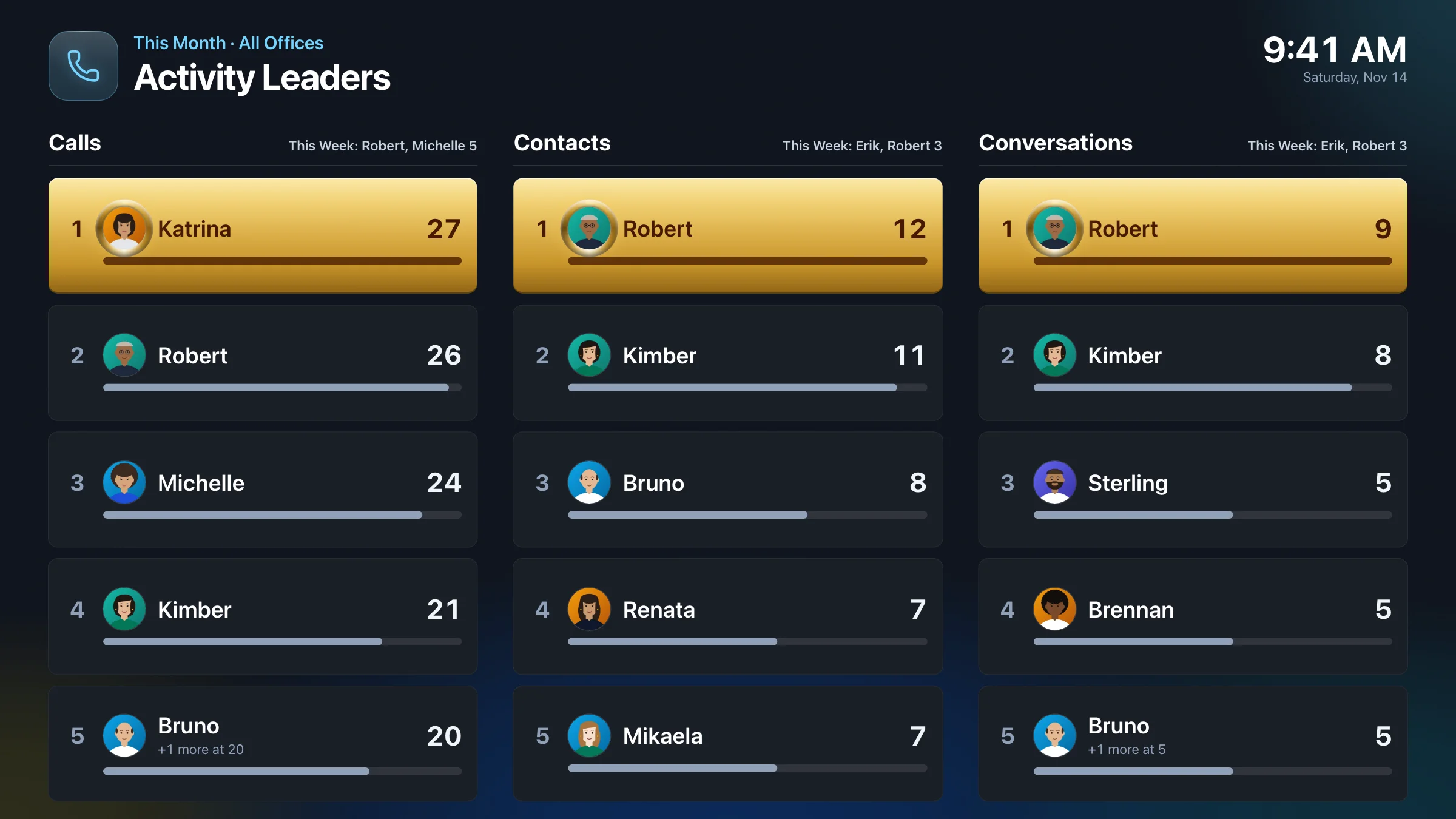 From your CRM
Leads, calls, conversations, and appointments set and met, for every agent, synced from your CRM.
See How From your accounting software or a spreadsheetWhat it costs to run the business, imported from your accounting software or any spreadsheet, or entered directly in Mola, next to what it earns.
See How
Targets for the company, each office, and each agent, tracked against all of the above.
See HowRead-only, always: Mola never writes back to your CRM or transaction management system, and never copies call recordings, notes, or messages.
Fully customizable
No matter how complex your plan is, set it up once and every deal runs the same way.
Pick what your plan uses to try it on a deal.
Where This Deal's Money Goes
Just a simple example to play with. Your real plan can have as many steps, conditions, and exceptions as it needs, and you'll never do this math yourself: Mola works it out on every deal, automatically. Book a 15-Minute Call
Before and after
The same business, two ways: the commission spreadsheet nobody wants to touch, and the numbers Mola keeps for you.
Company Dollar This Year vs. Last Year
Agent Caps
Top Lead Sources
Goal Pace
Drag the divider to compare. Point at any number to see the deals behind it. Example data.
Reports for everyone
On the office TV, on the owner's laptop, and in every agent's pocket. Each person sees what they should, updated every hour as deals sync, without asking anyone.
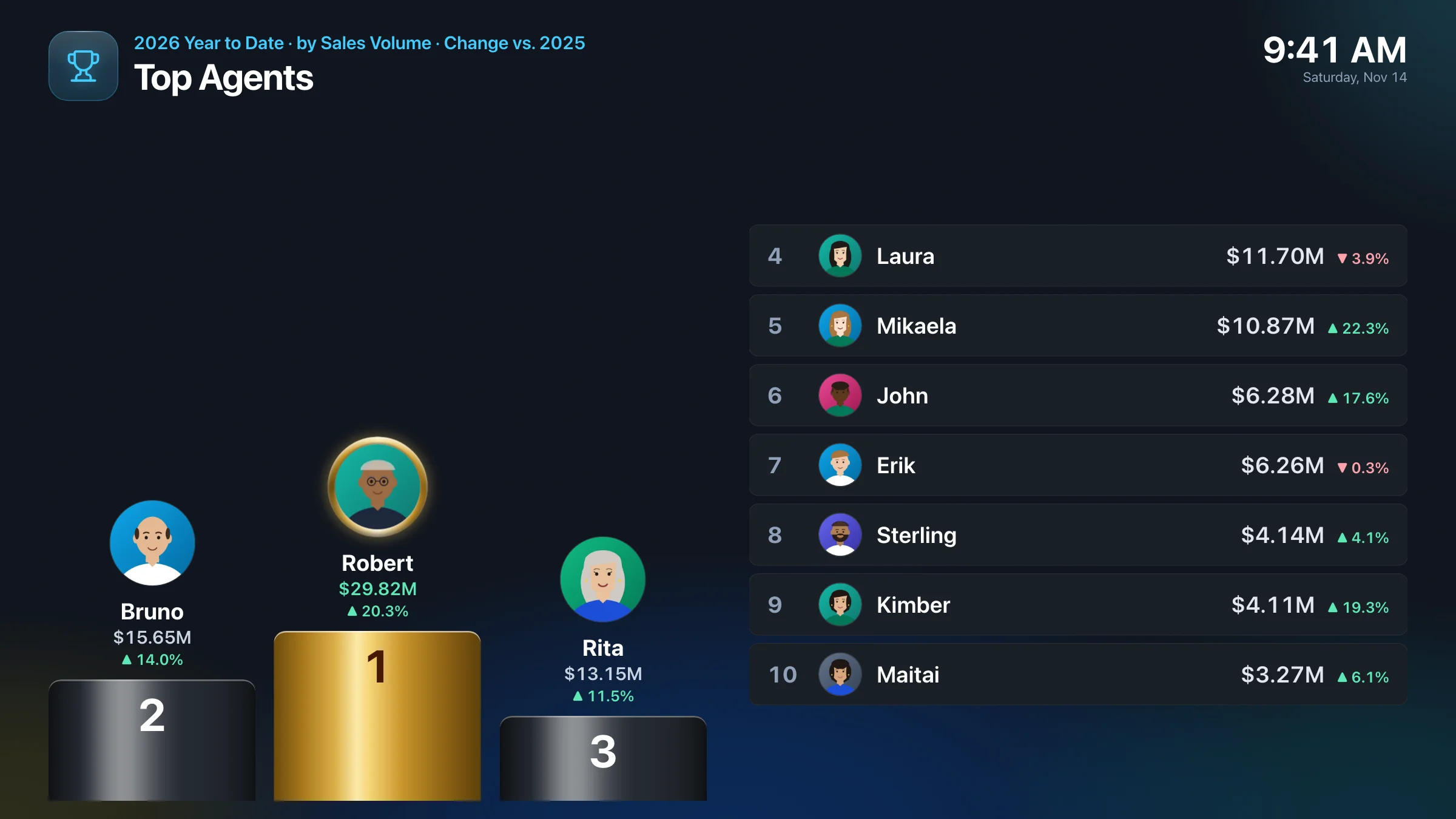
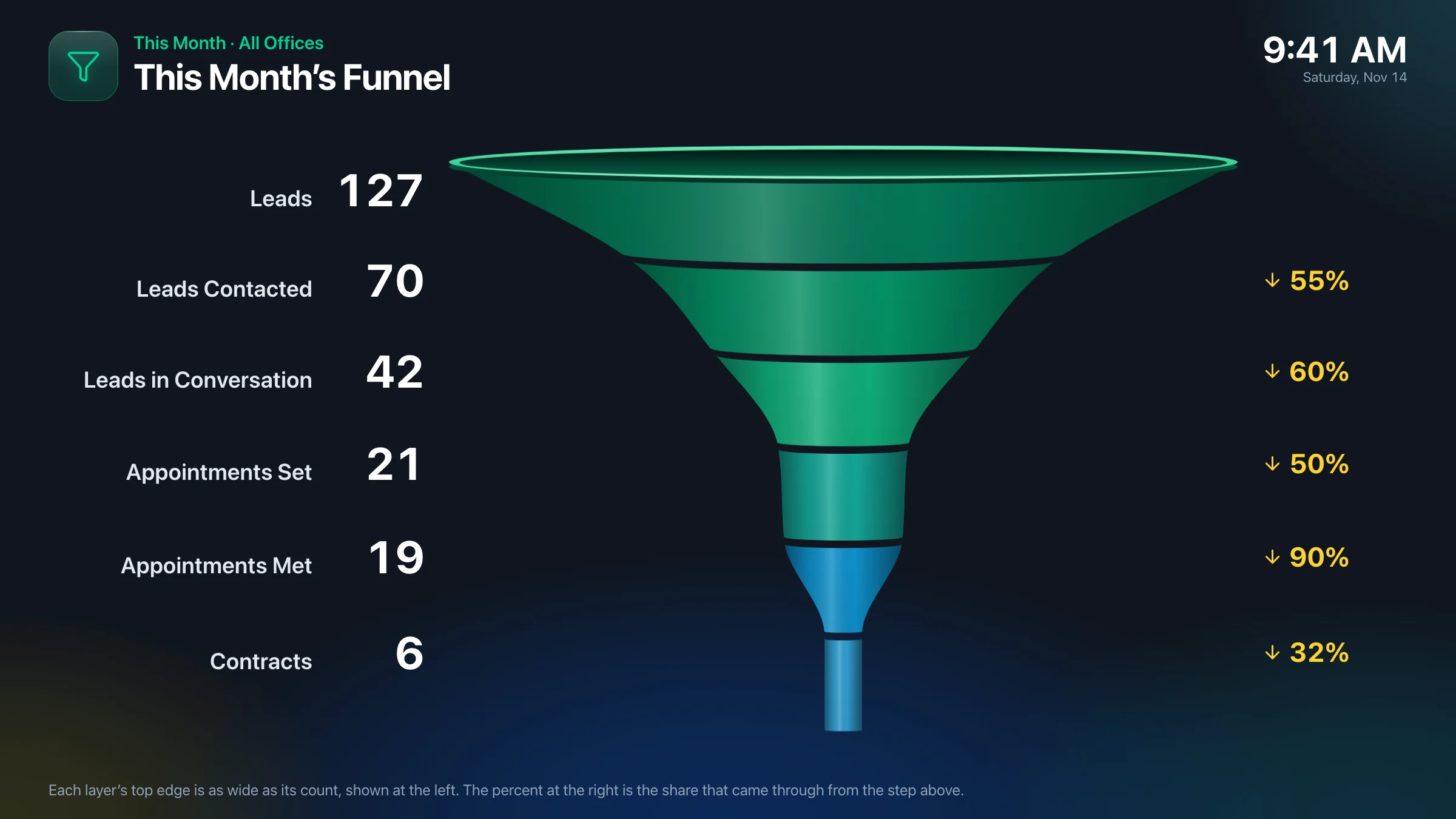
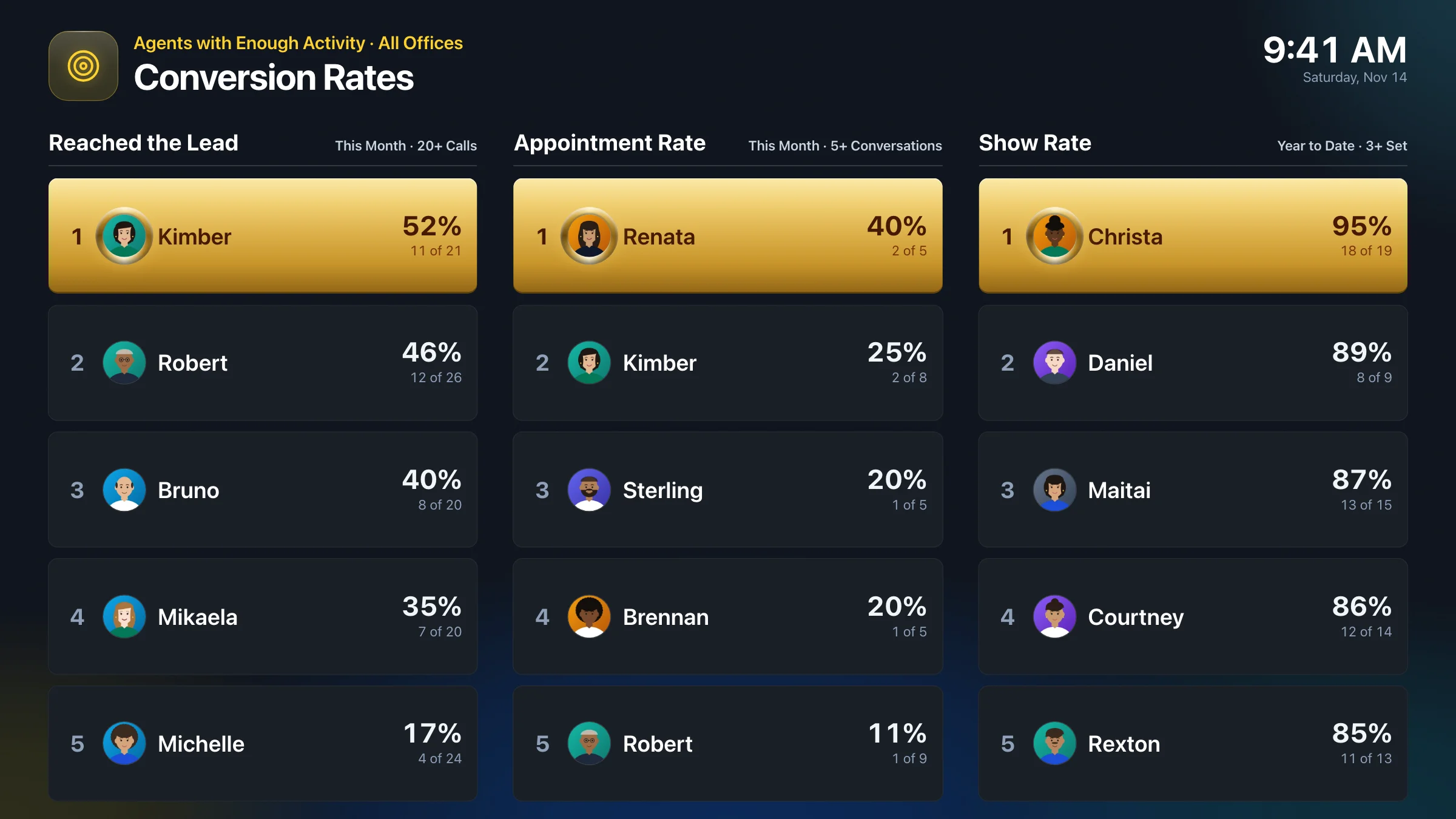
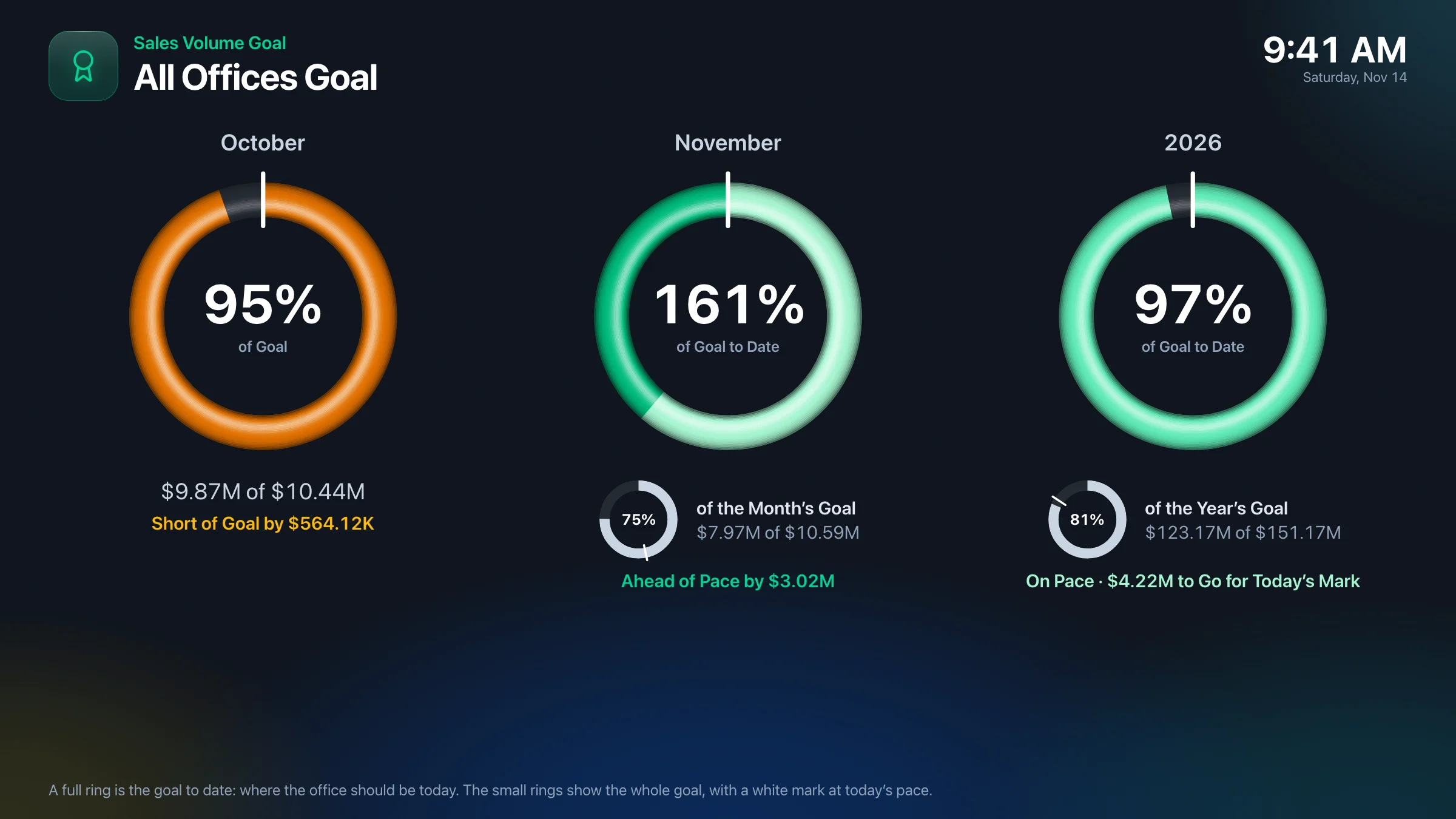
Office TV · Included in Mola Complete
Top agents, activity leaders, conversion rates, the office funnel, and office goals rotate on the TVs in your office, refreshing every few minutes. Agents walk in and see how their effort stacks up against their peers', the effort that decides what they make by year-end.
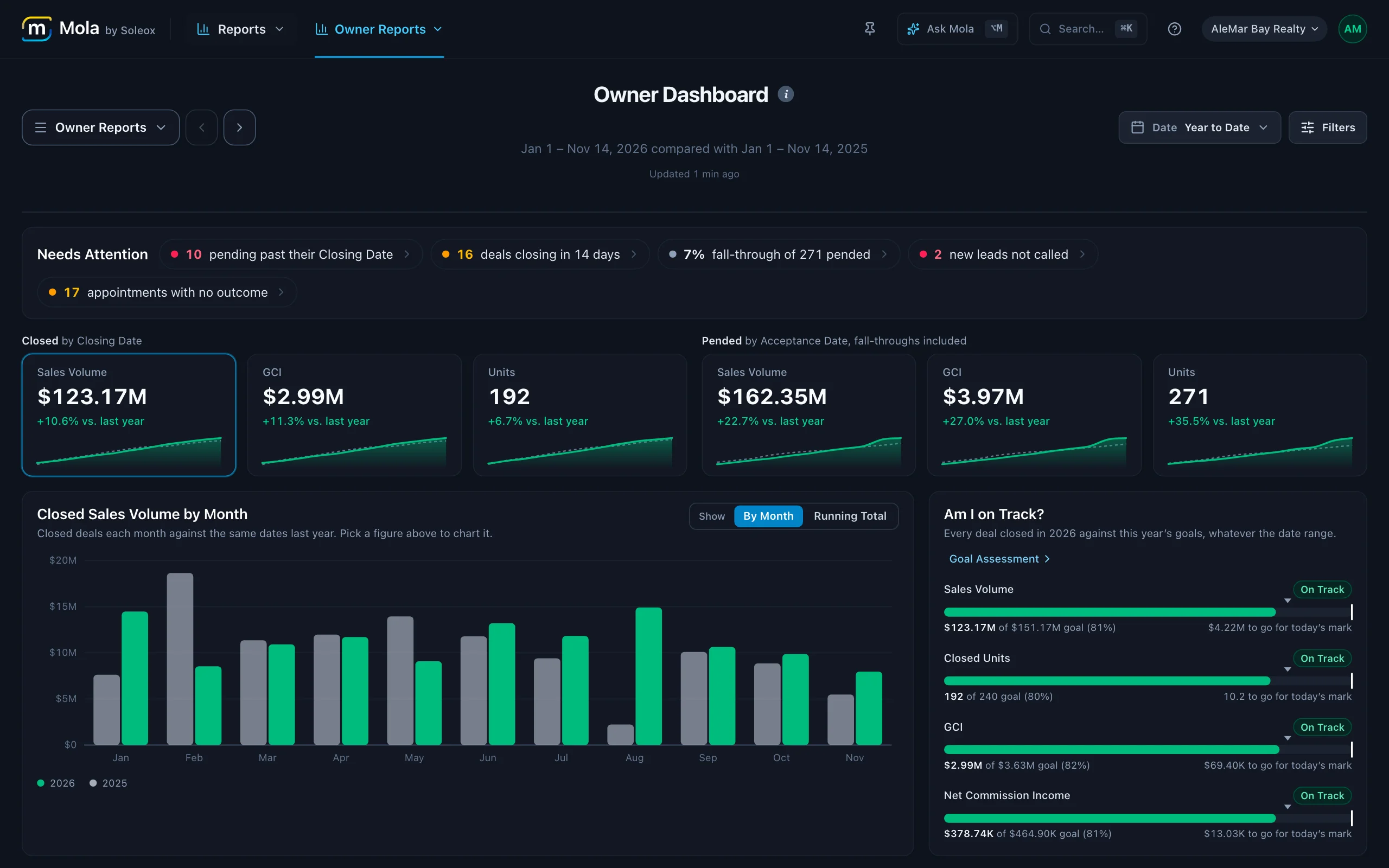
Owner Reports
Volume, GCI, company dollar, and net income; caps and payouts; goals by office and agent; leads, calls, and appointments from your CRM; and expenses, all filtered by period, office, or agent in a click.
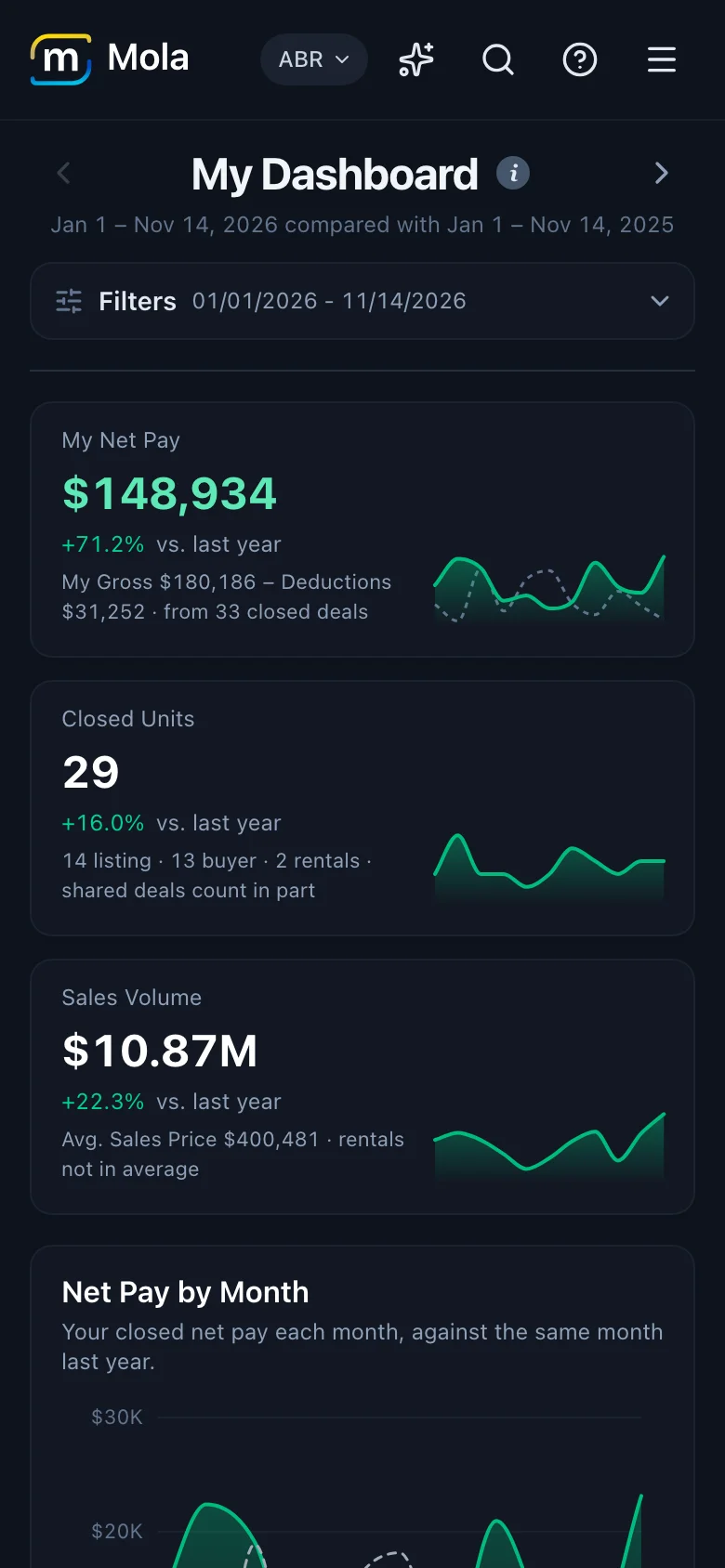
Agent Reports · Included in Mola Complete
Agents open Mola on their phone and see their own closings, pipeline, pay, plan, and how close they are to capping, any time. No more "can you send me my numbers?" to your staff, admins, or managers.
Mola on your phone
Your agents and managers are out showing homes, not sitting at a desk. Install Mola on any iPhone or Android phone, right from the browser: no app store, no download, nothing to update. It opens full screen from the home screen, like any other app.
New AI Connector · Included in every plan
Mola connects through MCP, the open standard most AI assistants support. Connect yours and ask about your deals in plain English, with answers from your live numbers, not a spreadsheet someone exported last week. It's part of Mola Core, at no extra cost.
MCP server URLhttps://mola.soleox.com/api/mcp
Which deals over $1M are set to close before Christmas?
mola · search_transactions Status: Pending · Sales Price over $1M · Closing by Dec 24
Four deals over $1M are set to close by December 24, worth $6.1M in volume and $151,200 in GCI:
The Dec 22 closing is tight on time; it may be worth a check-in with Laura.
Which lead sources brought in the most closed volume this year?
mola · search_transactions Status: Closed · Closing Date this year
Referrals lead by a wide margin. Sphere and open houses follow:
Zillow deals close at a lower average price ($612K against $1.04M for referrals).
Who has the most pending volume closing this quarter?
mola · search_transactions Status: Pending · Closing Date this quarter
Across 23 pending deals, $31.8M is set to close this quarter. The top five:
Draft my Monday update for the team from last week's closings.
mola · search_transactions Status: Closed · Closing Date last week
Team update · Week of Nov 2
Great week, everyone: 6 closings for $7.4M in volume. 🎉
Shout-out to Robert for the $2.1M close on Seacliff, and to Mikaela for closing two deals in one week. Referrals drove half our volume again, so keep those relationships warm.
11 deals are set to close in the next two weeks. Let's finish strong.
Want me to make it shorter for a text message?
Example conversation with example data.
mola.soleox.com/api/mcp, then sign in with Google or Microsoft.Rather ask inside Mola? Ask Mola answers right in the app.
What's inside
One place for everyone on the team. Open any line to see more.
Your plan runs on every deal, in order: off-the-top fees, the brokerage split, the team split, and post-split fees. Any line can be changed by hand. When a deal is ready, issue its Commission Disbursement Authorization (CDA) from those same numbers, laid out with your own template, as a PDF for your agents and title.
Cap progress for every agent and team, counted from each agent's cap year, with every deal and the running total toward the cap.
Set targets for the company, each office, and each agent, then see who's on pace and who needs help before the year gets away from you.
Mola brings your leads, calls, conversations, and appointments over from your CRM automatically, so you see each agent's activity next to the deals it turns into: from first call to appointment to closing, by source and by agent. No exports, no entering anything twice.
Track what it costs to run the business next to what it earns, so you can see what you actually keep. Import them from your accounting software or any spreadsheet, or enter expenses directly in Mola if you prefer.
Owners see everything, managers see the agents they manage, and agents see their own numbers. Each business's data is kept fully separate.
Office TV rotates top agents, year-to-date leaders, this month's closings, and office goals on the TVs in your office. No pay, splits, or client names ever reach the screen.
Ask Mola answers questions about your business from your live numbers, with the same access you have in the app. And Mola's MCP server, the AI Connector, brings those numbers into your own AI assistant, included in every plan. See how it works.
Every plan starts with commissions, owner reports, and the AI Connector, Mola's MCP server. Add the modules you need, or get them all with Mola Complete.
We connect your transaction management system to Mola. Deals and closing dates sync every hour, read-only.
We build your splits, referral fees, team caps, and post-cap fees exactly the way your team pays them today.
Payouts, caps, goals, and reports update as deals move from pending to closed, with leads and expenses alongside them.
Most teams go live within a few weeks. Billing starts at go-live.
Your way of working
Your team keeps working the way it does today. Mola reads what you already do and shows you the numbers.
Fine-tune a split, a plan, or a habit when and where you choose. Mola adapts with you.
Move to a new transaction system or CRM and your history stays in Mola. We help connect the new one.
Best practices for your numbers, built around how you run your business.
Built to help you grow
Mola shows you exactly where your next dollar will come from and where margin is slipping away, so you can grow faster and more profitably, not just report on the past.
See which lead sources turn into closings and which just cost you money, next to what you spend on each. Move budget to what works.
Goals show who's on pace and who's at risk every day, not at month-end when it's too late to help.
Calls, conversations, and appointments by agent show exactly where each one stalls between first call and closing.
Agents who always know their pay, plan, and cap progress trust you more, and a leaderboard on the office TV gives everyone a reason to push.
Company dollar, expenses, and net income side by side, so you know what you can afford to invest in: the next hire, the next office, the next lead source.
No spreadsheets to rebuild, no numbers to chase. That time goes back into recruiting, coaching, and closing.
Want to know more?